Features · 01
Lifelike speech, and voices made for your work.
Type a script and hear it in seconds. Give every character a voice, perform a line yourself in another voice, design a new voice from a description, or clone a voice with its speaker's recorded consent.
In this group
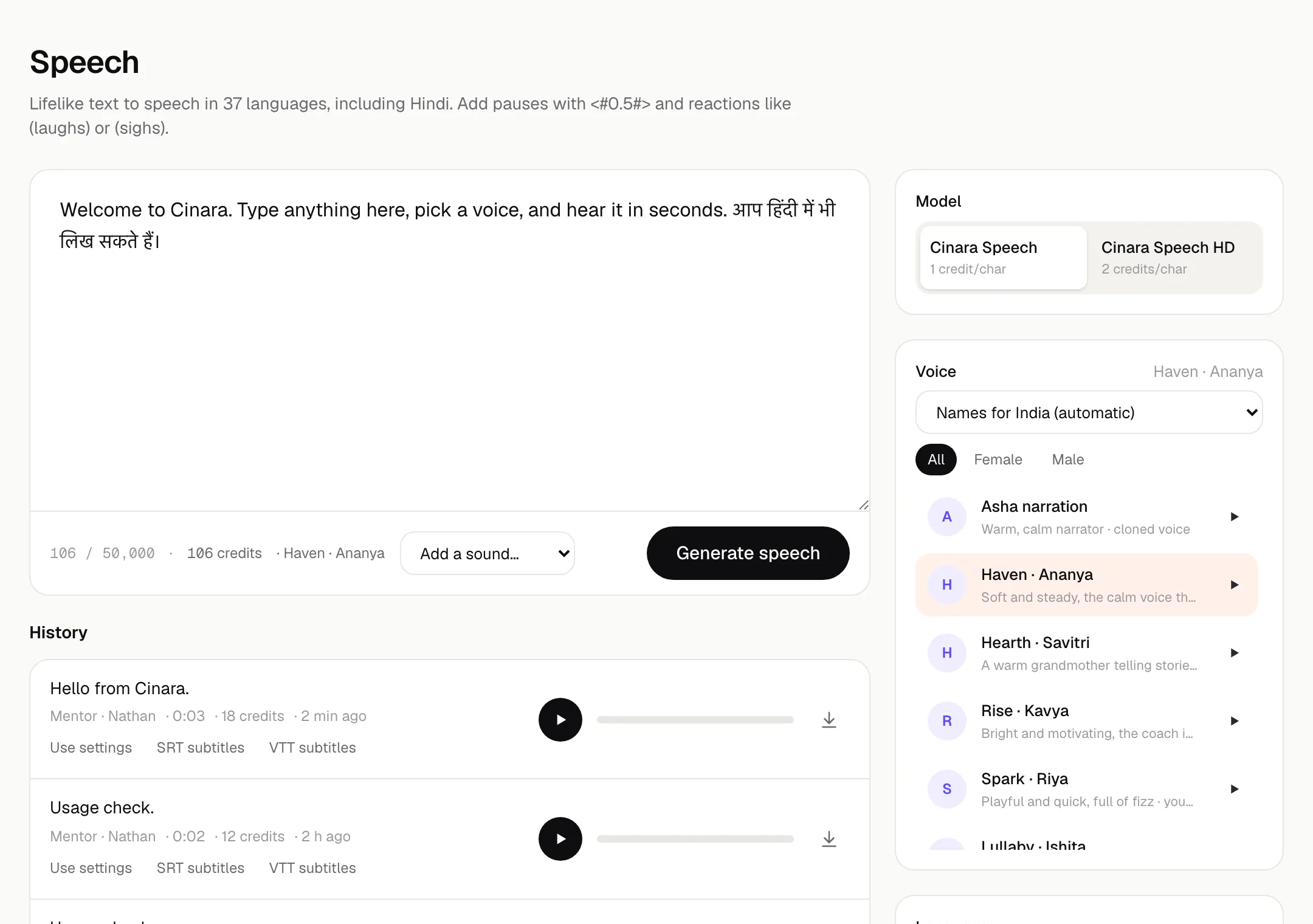
Speech
Turn text into lifelike speech in 37 languages including Hindi.
Limits
- Up to 50,000 characters per generation
- MP3 at 128 or 256 kbps, or FLAC up to 4,000 characters
- 37 languages including Hindi
What it does
- Two models: Cinara Speech and Cinara Speech HD.
- 17 ready-made voices, each with a character, such as Mentor · Nathan, the patient teacher, or Haven · Claire, soft and steady.
- Voice names follow your listeners' region, across 11 regions.
- Set emotion, speed and pitch. Add pauses with <#0.5#> and reactions like (laughs) or (sighs).
- Pronunciations: tell Cinara once how to say a name or term, and it applies to every generation in the workspace.
- Subtitles in SRT or VTT, timed to the audio.
Dialogue
Multi-speaker conversations from a script, with a voice for every character.
Open Dialogue in the appWhat it does
- Write lines per speaker, or paste a script with lines like “Host: Hello”.
- A voice for every character and an emotion for every line.
- One joined file with a natural pause after each line.
- Redo or reword a single line without regenerating the rest.
- Per-line volume from 50% to 200%.
- Captions in SRT or VTT with speaker names.
Voice Changer
Perform a line yourself and hear it in another voice, keeping your timing and emotion.
Limits
- One speaker per recording
- Up to 10 minutes and 2 GB
- 48 kHz WAV output
What it does
- Record in the browser, upload audio, or use a video.
- Your words, timing and emotion stay; the voice changes.
- Change to any Cinara voice, or to your workspace's own cloned and designed voices.
- Remove background noise first, and get the video back with the new voice.
Voice Design
Describe a voice and create it: age, accent, tone and character.
Limits
- Descriptions of 20 to 2,000 characters
- Save a design within 7 days
- Up to 30 designed voices per workspace
- Voices of well-known people are refused
What it does
- Describe the voice in your own words, or build a description from traits: gender, age, 12 accents, pace, up to 3 of 12 tones, and use case.
- Hear a preview reading your own text or one of 7 samples.
- Save the voices you like. Saving is free.
- Use saved voices in Speech, Dialogue and Voice Changer.
Voice Design is a paid-plan feature. Paid plans launch soon.
Voice Cloning
Create a digital copy of a voice with that person's verified consent.
Limits
- Recordings of 20 seconds to 5 minutes
- Up to 10 cloned voices per workspace
- Voices of well-known people can't be cloned
- Failed consent checks are refunded
What it does
- Clone your own voice, or the voice of someone who agrees to it on the recording.
- Read a one-time consent statement aloud, then keep reading a short passage.
- Cinara checks the statement, its code words and that only one person speaks before the voice is made.
- Use the voice in Speech, Dialogue and Voice Changer, and turn it into a singing voice.
Voice Cloning is a paid-plan feature. Paid plans launch soon.
Voice Library
Browse ready-made voices and the ones your team created.
Open Voice Library in the appWhat it does
- Cinara's 17 voices and your workspace's own, in one place.
- Filter by gender, age and use case: narration, conversational, characters, ads & trailers, education, social media and kids.
- Star favourites, preview any voice, and open it straight in Speech or Voice Changer.
- Cloned voices show the date their consent was verified.
Singing Voice
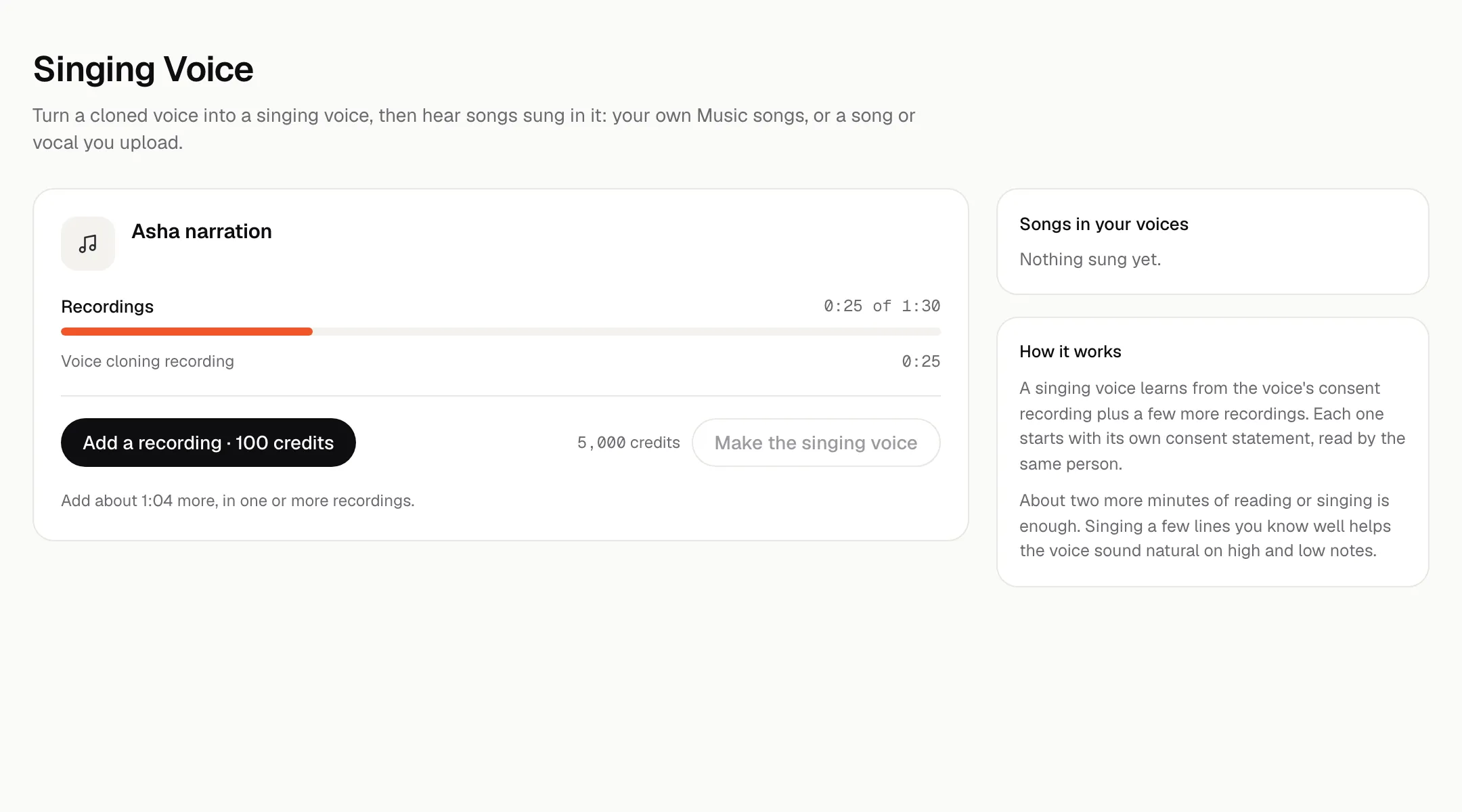
Turn a cloned voice into a singing voice and hear songs sung in it.
Limits
- At least 90 seconds of verified speech to train
- Up to 6 extra recordings
- Training usually takes 10 to 20 minutes
- Songs up to 6 minutes
What it does
- Starts from a cloned voice and its consent recording.
- Add about two more minutes of reading or singing. Each recording starts with its own consent statement, read by the same person.
- Sing a song you made in Music, or upload a song or a vocal you have the rights to.
- Keep the key, or move the voice an octave lower or higher.
- Uploaded vocal takes can add pitch correction.
Singing voices start from a cloned voice, a paid-plan feature. The more the voice learns from, including a few lines sung by the speaker, the closer it sounds.
Make the first thing today.
Start with 10,000 free credits. No card needed.
Sign-up needs a confirmed email and a verified phone number.